Library Management System
2025A Java desktop application with a graphical user interface to manage library books and authors using a MySQL database.
The Problem
Keeping track of library inventories manually or using basic spreadsheets quickly becomes unmanageable as a collection grows. Librarians need a dedicated, user-friendly tool to manage book entries, track authors, update publication years, and monitor the physical availability of each item.
The Solution
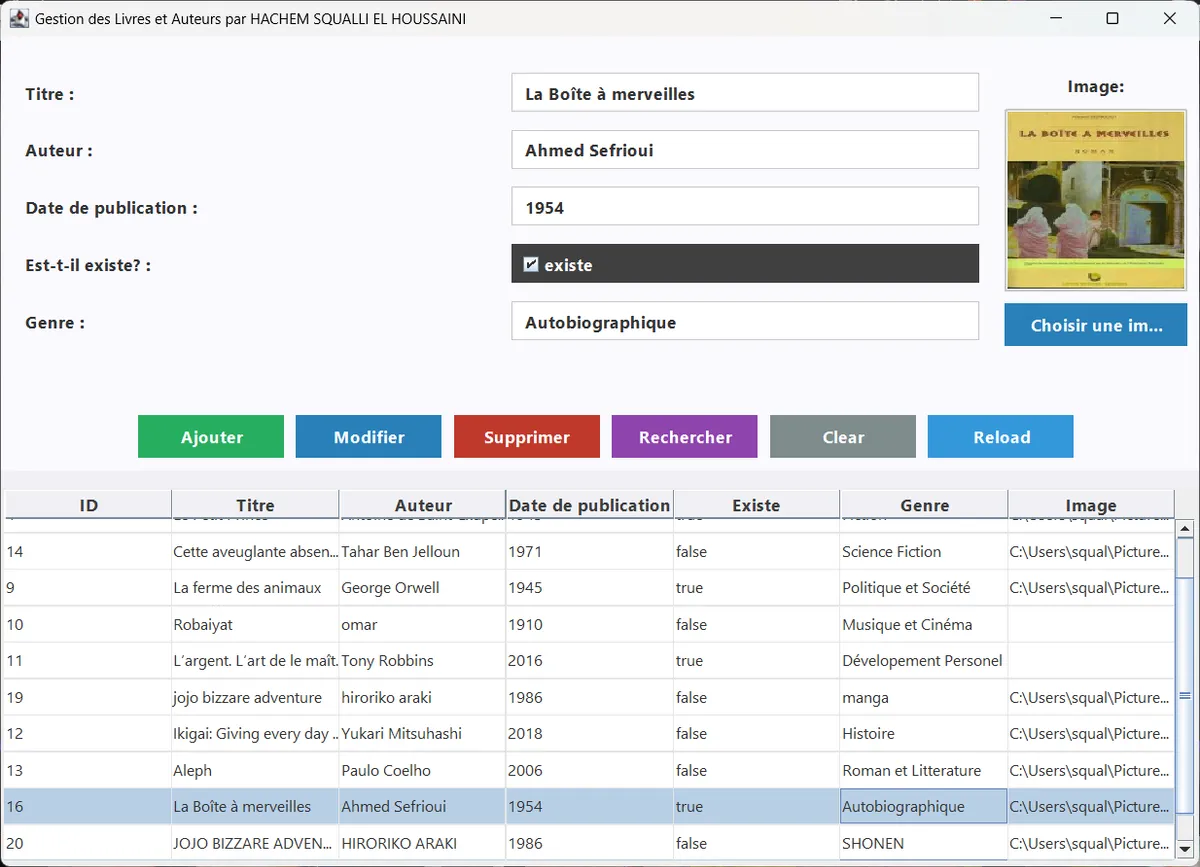
I developed a desktop application using Java and Swing to provide an intuitive Graphical User Interface (GUI) for library management. The application connects to a local MySQL database to ensure reliable data persistence and rapid querying.
Core Functionalities
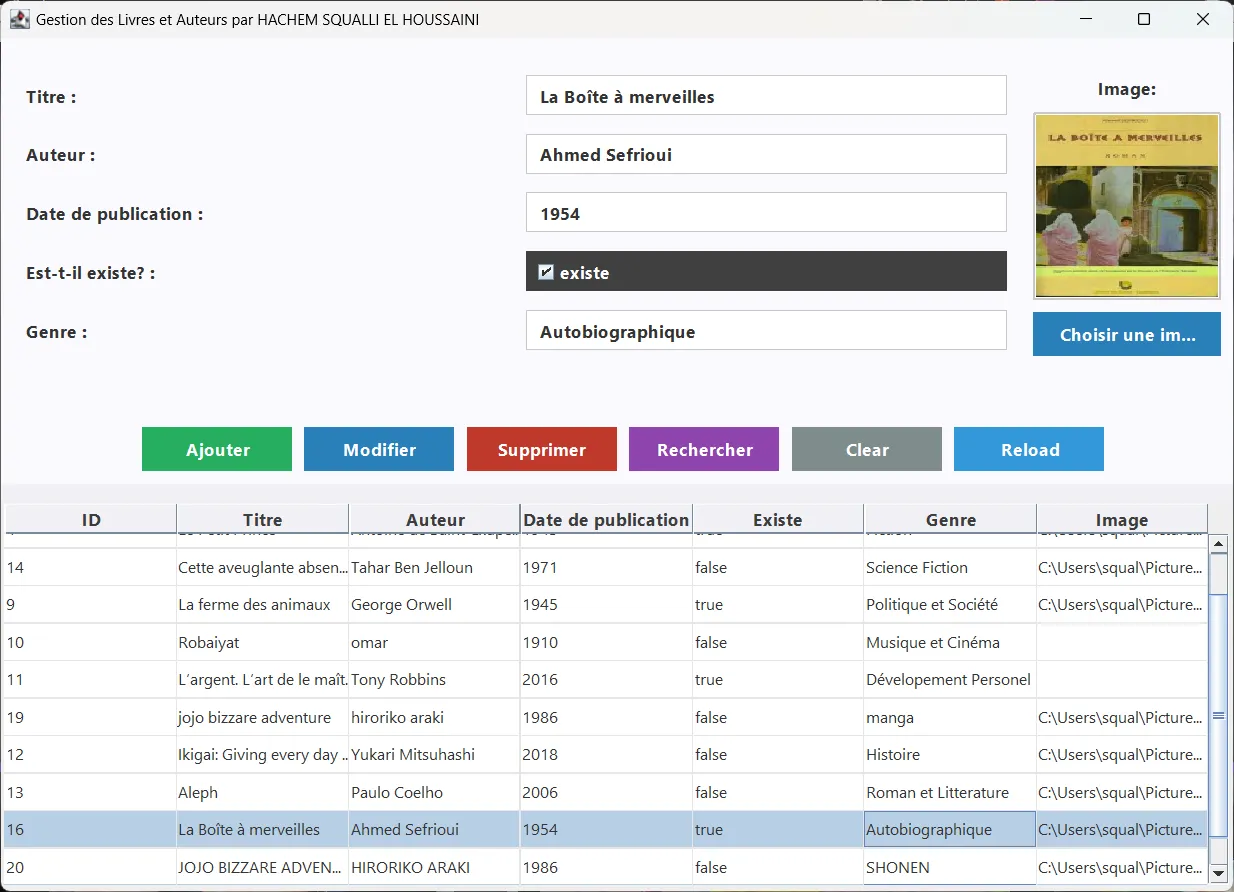
The application features a fully functional CRUD (Create, Read, Update, Delete) system integrated with a dynamic JTable for data visualization:
- Add / Edit Books: Users can input comprehensive book details, including Title, Publication Year, Author, Genre, Cover Image, and Availability Status (Existence).
- Delete Records: Easily remove outdated or lost books from the database.
- Advanced Search: Users can filter the library database using multiple criteria (Title, Year, Author, Genre, or a General keyword search).
- Comprehensive View: Displays all books and their associated authors in a clean, responsive table.
Watch the Application in Action:
(Alternative Demo)
How to Run the Project
To run this application locally, you will need to set up a local web server environment and have Java installed.
1. Database Setup (WAMP)
- Download and install WAMP Server.
- Ensure the MySQL service is running and listening on the default port 3306.
- Open phpMyAdmin and import the provided SQL files (located in the
databasefolder) to create the required tables and seed the initial data.
2. Launching the Application
Once the WAMP server is running, you can launch the application using one of the following methods:
- Windows Executable: Simply double-click the
project.exefile. - Java Archive (JAR): Open your terminal and run the following command:
java -jar project.jar
* **From an IDE:** Open the project in your preferred Java IDE (like Eclipse or IntelliJ), navigate to `src/Gestion_Livres/MainFrame2.java`, and execute the file.